







easy-extensibility
Extend VSCode without the ceremony of making a full extension! Just write your code anywhere and it'll be part of VSCode!
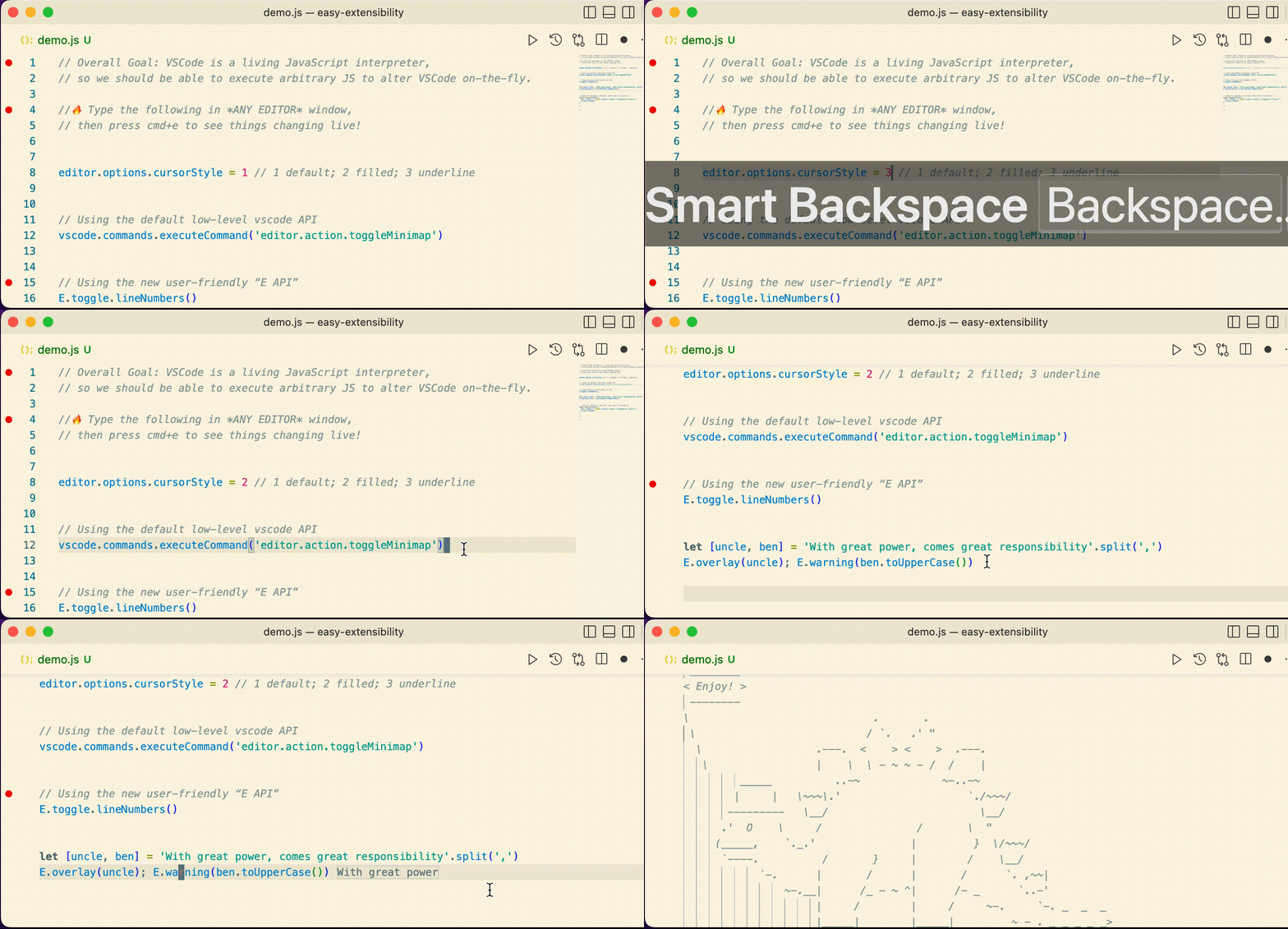
Features
- New keybinding:
cmd+Eto evaluate a selection of JavaScript, or the entirety of the current line.- Use
shift+cmd+Eto insert the result onto the next line.
- Use
- New keybinding:
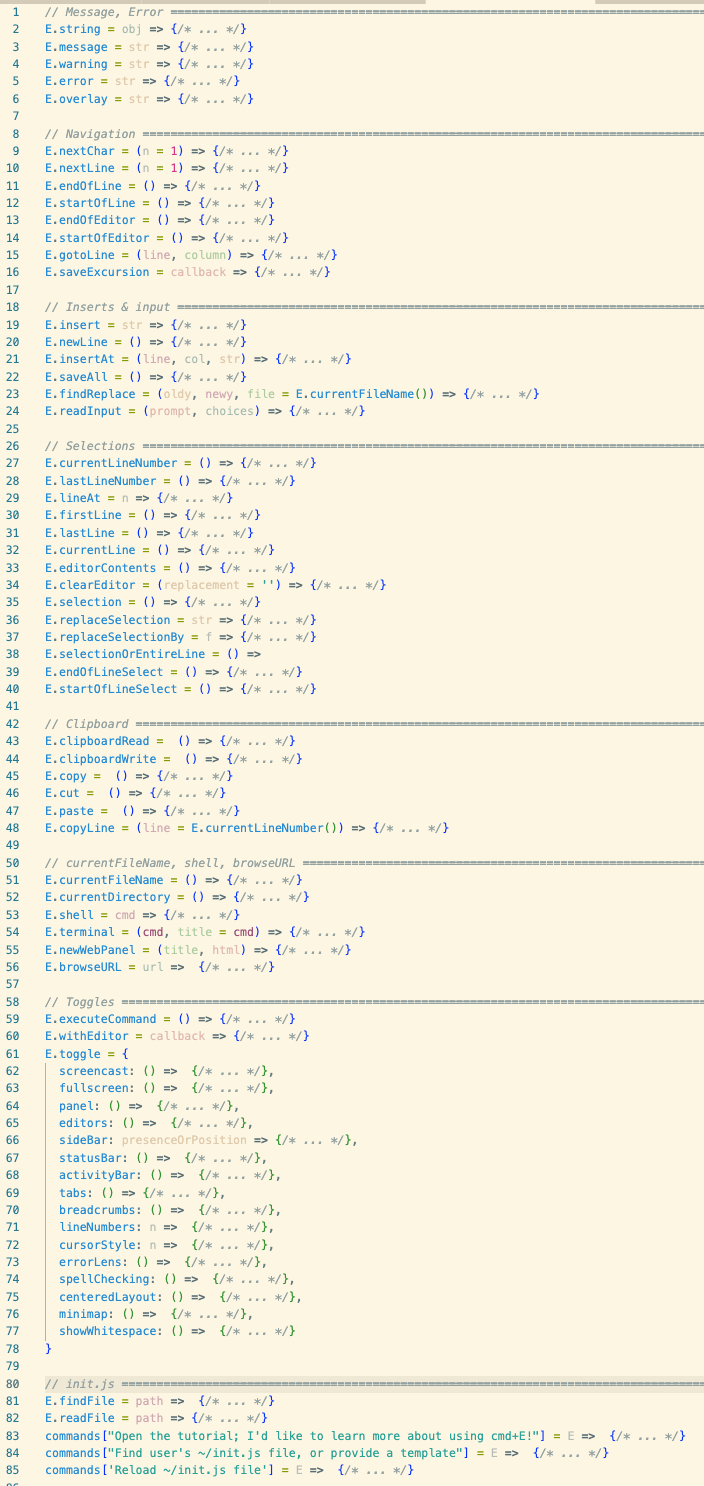
cmd+Hto provide a command pallet for user-defined commands using this extension. - The easy-extensibility Extension API, or “E API”, which acts as a high-level user-friendly alterative to the default vscode Extension API.
Accessibility
- Open the tutorial to learn more about using
cmd+Eby invokingcmd+h tutorial - To learn about “saving reusable functions and having them load automatically”, please invoke
cmd+h find users init.js file, or provide a template
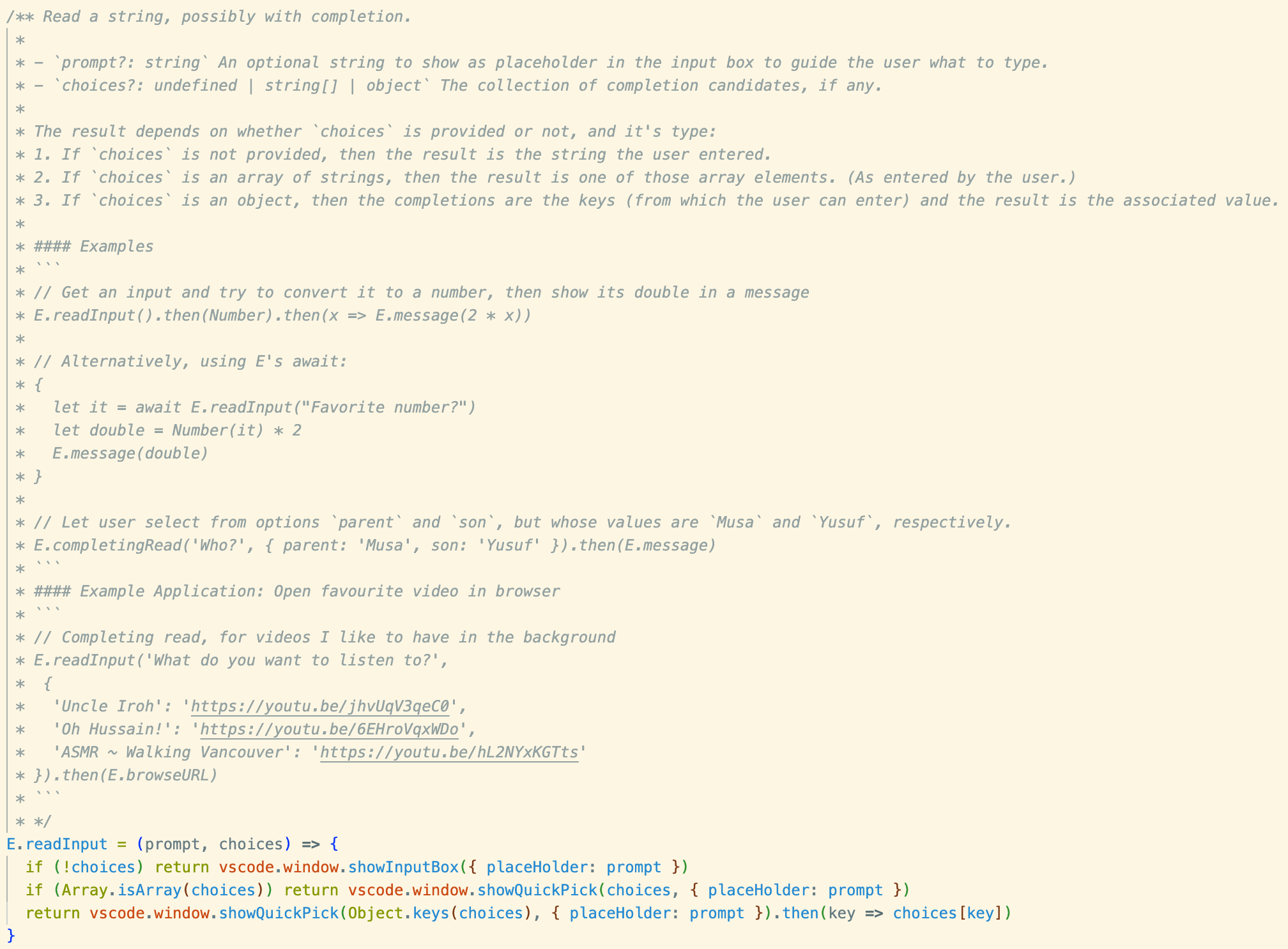
Extensive Docs
The E API is well-documented; for example the E.readInput method's docs even suggest an example user extension.
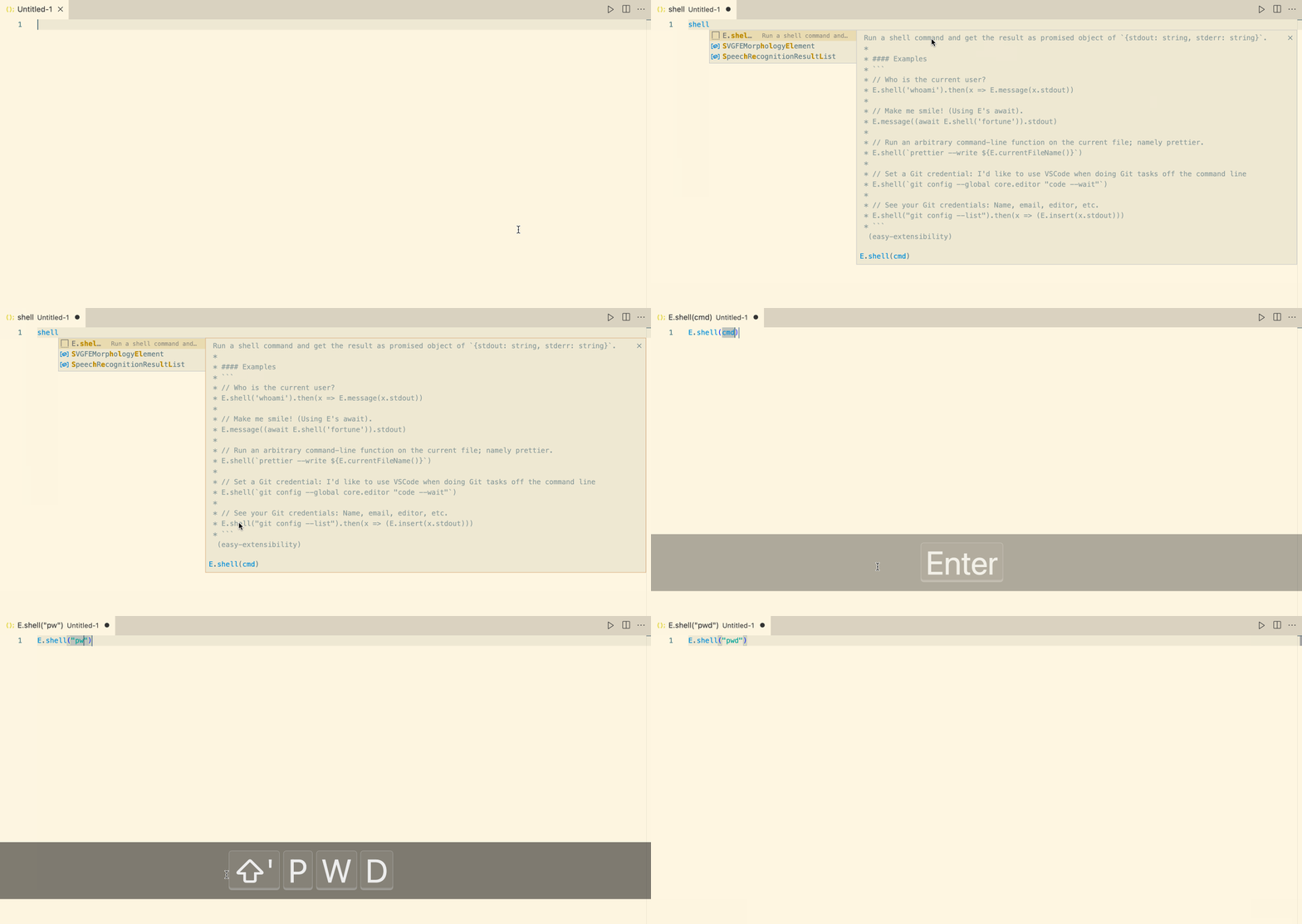
Anaphoric Usage (with code completion & docstrings)
The current implementation treats VSCode as if it were dynamically-scoped: Any open editor may mention E, commands, vscode with no ceremonial import of any kind!
- This is similar to the use of the keyword
thisin object-oriented programming: It's an implicitly introduced argument!
However, for discovarability and example uses, it would be nice
to have code completetion: Just write E. and wait a second to
see possible completions ---or write the name of the method you
want to use and if it's part of the E API, you'll also get completion as shown below.
A growing user-friendly API!
Why this (meta)extension?
There is essentially only one step () to making an extension. Sharing an extension, such as a tiny 5-line command, should be as easy as having that defintion code readily available.
In constrast, the default approach to making a VSCode extension is as follows:
- Make a new NodeJS project, say with
yo codeas per https://code.visualstudio.com/api/get-started/your-first-extension - Actually write your extension's code
- Run your code in a dedicated sandbox with
F5, far from your code - Try your extension; stop the sandbox; alter your code; repeat.
- Now to actually make use of your extension, you should pacakge it with
vsce package- To share it with others, you'll need to:
- Make a Microsoft account
- Make a new Azure organisation, as in https://dev.azure.com/alhassy
- Create a Personal Access Token for use in the extension marketplace; as per https://code.visualstudio.com/api/working-with-extensions/publishing-extension
- To share it with others, you'll need to:
This approach doesn't encourage making extensions ---since there's so much ceremony--- and it, likewise, doesn't encourage sharing/packaging up the resulting (tiny) extensions.
Invoke cmd+h tutorial to see the tutorial, which
concludes with a comparison of our
init.js-style extensions
versuses thats of the default VSCode style.