
Still maintaining parsing algorithm!
Zotero Reference Linker
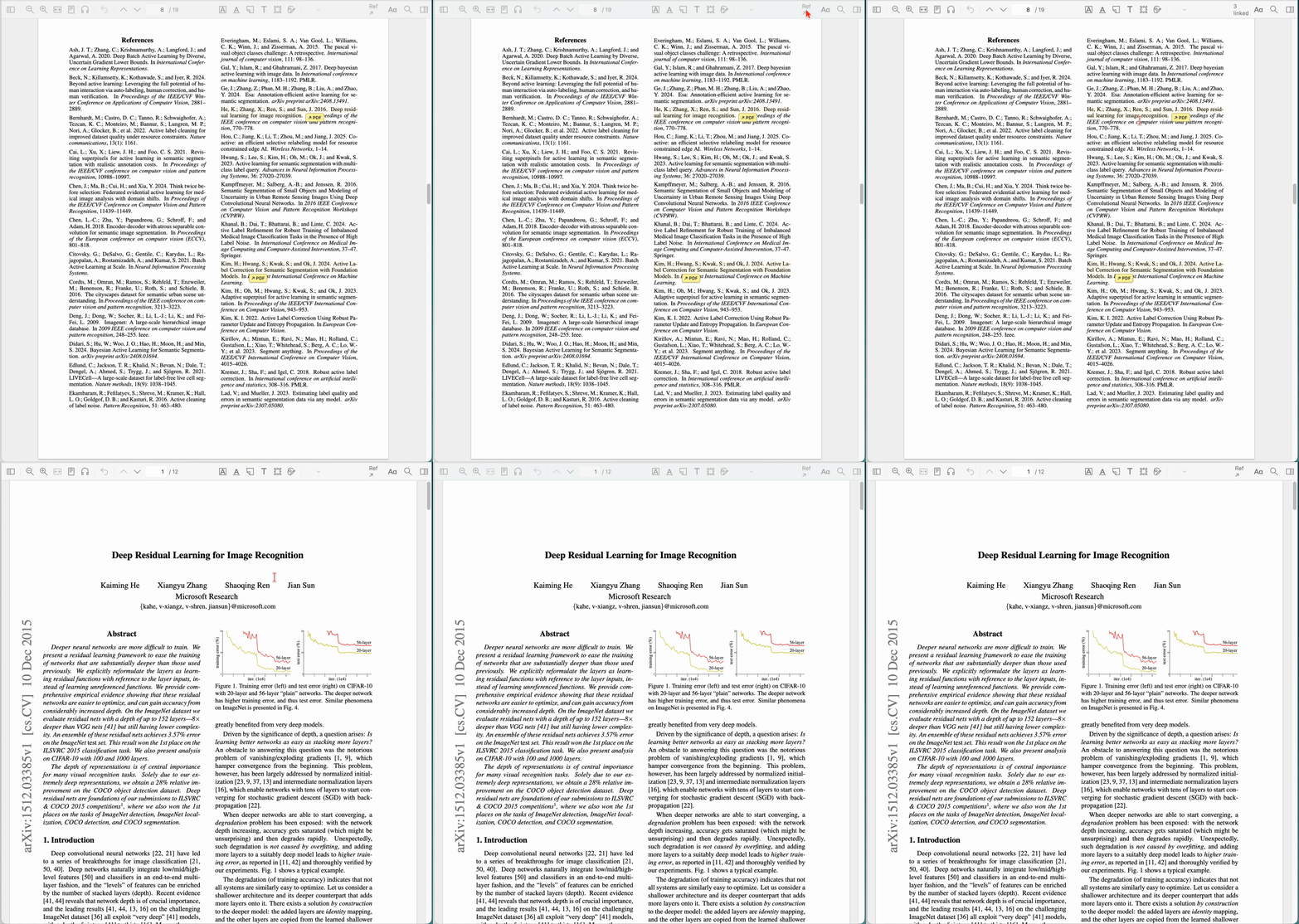
Reference Linker highlights bibliography entries whose papers are already in your Zotero library. Click a highlight to open its PDF or select the Zotero item.
Highlights are part of the reader UI. The plugin does not modify PDFs or create Zotero annotations.
Install
- Download the latest XPI from GitHub Releases.
- In Zotero, open Tools → Plugins.
- From the gear menu, choose Install Plugin From File….
- Select the XPI and restart Zotero.
Zotero 9 and 10 are supported.
Use
Open a PDF and click Ref in the reader toolbar. References found in your library are highlighted in yellow.
↗ PDFopens the saved PDF.↗ Itemselects the Zotero item when no PDF is attached.
If no links appear, scroll through the reference pages once and scan again. Zotero renders only nearby PDF pages.
Matching
References are matched in this order:
- DOI
- arXiv ID
- Bibliographic fingerprint for references without titles
- Normalized title
- Conservative fuzzy title match
A bibliographic fingerprint uses the first author, year, journal, volume, and first page or article number. Ambiguous or conflicting matches are left unlinked.
Numbered and author-year bibliographies are supported. Title matching ignores capitalization, punctuation, whitespace, diacritics, and line-break hyphenation.
Supported reference styles
The plugin is not limited to specific journals. These formats have been tested:
- Astronomy: A&A, ApJ, ApJS, ARA&A, and MNRAS
- Physics: Ann. Phys., Physical Review Letters, Physics Letters B, JHEP, Reviews of Modern Physics, and Physics Reports
- Mathematics: numbered references with comma-delimited titles
- Biomedical: Vancouver-style references, including Genome Biology, Nature Biotechnology, and Nature Methods
- Computer science: IEEE, ACM, CVPR, ICML, ICLR, and NeurIPS styles
Other journals generally work when references contain a DOI, arXiv ID, title, or an unambiguous bibliographic fingerprint.
Development
Requires Node.js 20 or newer.
npm install
npm run verify
npm run verify runs type checking and tests, then creates the unpacked extension in build/ and an installable XPI.
For a development install, create this proxy file in the active Zotero profile:
extensions/zotero-reference-linker@ottersem.github.ioSet its contents to the absolute path of the build directory, then restart Zotero.
The unpacked extension is also available from npm:
npm install zotero-reference-linkerLimitations
- Image-only PDFs require OCR.
- Complex PDF text layers may produce incorrect reading order.
- Matching depends on accurate citation and Zotero metadata.
- Reference pages must be rendered before links can be drawn.
- Zotero Reader internals may change between releases.
Reporting a problem
Include the Zotero and plugin versions, citation style, one failed reference, and a public paper link when available.