@cto.ai/cli-sdk v1.3.3
Inquirer.js
A collection of common interactive command line user interfaces.
Table of Contents
Documentation
Installation
npm install @cto.ai/sdkconst { sdk, ux } from '@cto.ai/sdk';Methods
ux.prompt
Launch the prompt interface
const answers = await ux.prompt(questions);Question A question object is a hash containing question related values:
Question
A question object is a hash containing question related values:
- type: (String) Type of the prompt. Defaults:
input- Possible values:input,number,confirm,list,rawlist,expand,checkbox,password,editor,datetime,autocomplete,checkbox-plus,fuzzy-path,emoji - name: (String) The name to use when storing the answer in the answers hash. If the name contains periods, it will define a path in the answers hash.
- message: (String|Function) The question to print. If defined as a function, the first parameter will be the current inquirer session answers. Defaults to the value of
name(followed by a colon). - default: (String|Number|Boolean|Array|Function) Default value(s) to use if nothing is entered, or a function that returns the default value(s). If defined as a function, the first parameter will be the current inquirer session answers.
- choices: (Array|Function) Choices array or a function returning a choices array. If defined as a function, the first parameter will be the current inquirer session answers.
Array values can be simple
strings, orobjectscontaining aname(to display in list), avalue(to save in the answers hash), and ashort(to display after selection) properties. The choices array can also contain aSeparator. - validate: (Function) Receive the user input and answers hash. Should return
trueif the value is valid, and an error message (String) otherwise. Iffalseis returned, a default error message is provided. - filter: (Function) Receive the user input and return the filtered value to be used inside the program. The value returned will be added to the Answers hash.
- transformer: (Function) Receive the user input, answers hash and option flags, and return a transformed value to display to the user. The transformation only impacts what is shown while editing. It does not modify the answers hash.
- autocomplete: (Array|Object) A list of choices to be used for autocomplete. Can be provided either as an array of strings, or as an object with the following properties: name (name to be displayed) and helpInfo (related help information on toggle). When autocomplete is provided, the source attribute is unnecessary.
- when: (Function, Boolean) Receive the current user answers hash and should return
trueorfalsedepending on whether or not this question should be asked. The value can also be a simple boolean. - pageSize: (Number) Change the number of lines that will be rendered when using
list,rawList,expandorcheckbox. - prefix: (String) Change the default prefix message.
- suffix: (String) Change the default suffix message.
- afterMessage: (String) replaces
messageafter question is answered.
for more information: https://github.com/SBoudrias/Inquirer.js#documentation
Prompt types
Note:: allowed options written inside square brackets (
[]) are optional. Others are required.
List - {type: 'list'}
Take type, name, message, choices, default, filter properties. (Note that
default must be the choice index in the array or a choice value)

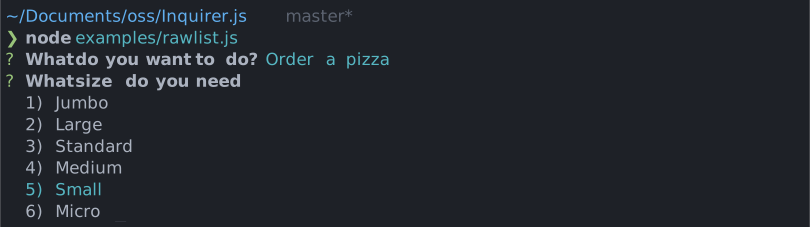
Raw List - {type: 'rawlist'}
Take type, name, message, choices, default, filter properties. (Note that
default must be the choice index in the array)
Expand - {type: 'expand'}
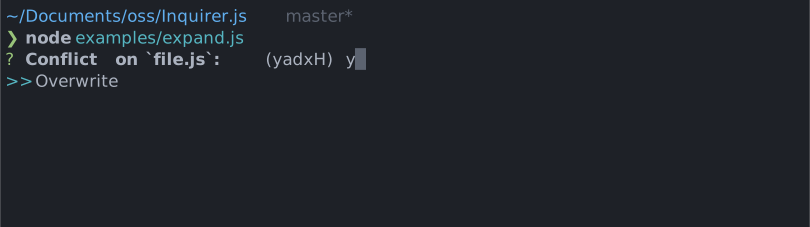
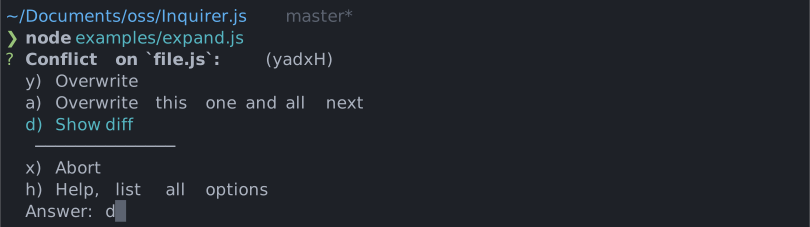
Take type, name, message, choices, default properties. (Note that
default must be the choice index in the array. If default key not provided, then help will be used as default choice)
Note that the choices object will take an extra parameter called key for the expand prompt. This parameter must be a single (lowercased) character. The h option is added by the prompt and shouldn't be defined by the user.
See examples/expand.js for a running example.
Checkbox - {type: 'checkbox'}
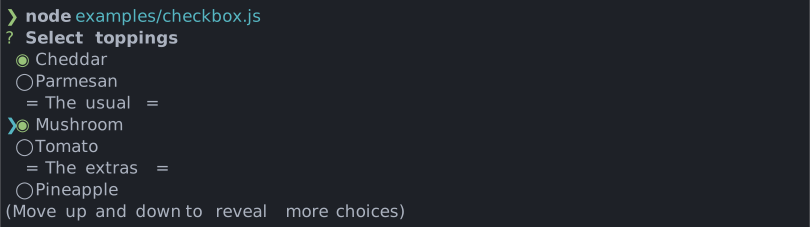
Take type, name, message, choices, filter, validate, default properties. default is expected to be an Array of the checked choices value.
Choices marked as {checked: true} will be checked by default.
Choices marked as {mandatory: true} will be checked and unselectable by default.
Choices with helpInfo property provided will have toggable help info displayed. helpInfo property takes in strings.
Choices whose property disabled is truthy will be unselectable. If disabled is a string, then the string will be outputted next to the disabled choice, otherwise it'll default to "Disabled". The disabled property can also be a synchronous function receiving the current answers as argument and returning a boolean or a string.
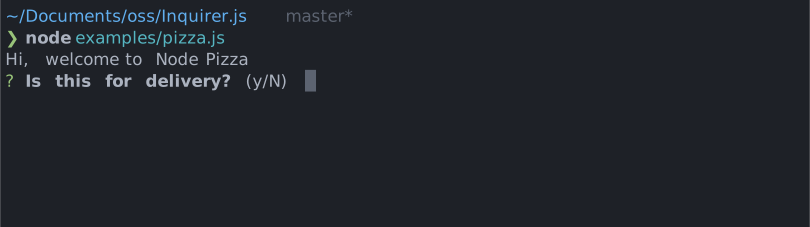
Confirm - {type: 'confirm'}
Take type, name, message, default properties. default is expected to be a boolean if used.
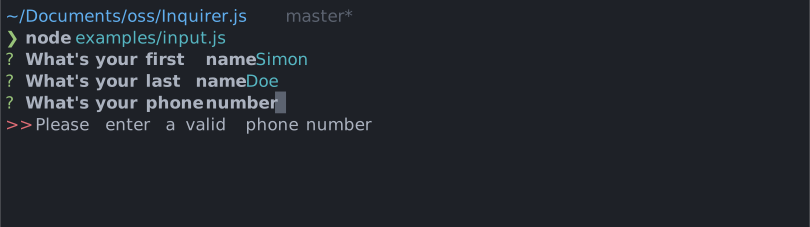
Input - {type: 'input'}
Take type, name, message, default, filter, validate, transformer properties.
Input - {type: 'number'}
Take type, name, message, default, filter, validate, transformer properties.
Password - {type: 'password'}
Take type, name, message, mask,, default, filter, validate properties.
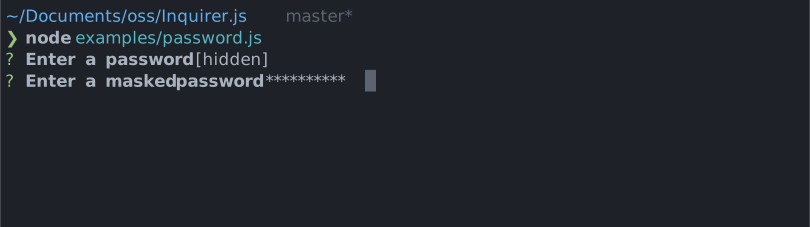
Note that mask is required to hide the actual user input.
Editor - {type: 'editor'}
Take type, name, message, default, filter, validate properties
Launches an instance of the users preferred editor on a temporary file. Once the user exits their editor, the contents of the temporary file are read in as the result. The editor to use is determined by reading the $VISUAL or $EDITOR environment variables. If neither of those are present, notepad (on Windows) or vim (Linux or Mac) is used.
Checkbox with autocomplete - {type: 'checkbox-plus'}
Takes type, name, message, source or autocomplete , filter, validate, default, pageSize, highlight, searchable, enablebackspace, answer, footer, header, keypress, searching, noresult properties.


for example and more information: https://github.com/yviscool/inquirer-checkbox-plus
Fuzzy path - {type: 'fuzzypath'}
Take type, name, message , excludePath, itemType, rootPath, suggestOnly


for example and more information: https://github.com/adelsz/inquirer-fuzzy-path
Emoji - {type: 'emoji'}
Take type, name, message
for example and more information: https://github.com/tannerntannern/inquirer-emoji

ux.colors
ux.colors.green('Green text');
ux.colors.red('Red text');
for more information: https://github.com/chalk/chalk#usage
ux.print
Prints a string message for the user.
await ux.print("Hello world!");
await ux.print(`Found ${records.length} records`);
ux.spinner
Shows a spinner
// start the spinner
ux.spinner.start('starting a process');
// show on stdout instead of stderr
ux.spinner.start('starting a process', { stdout: true });

// stop the spinner
ux.spinner.stop(); // shows 'starting a process... done'
ux.spinner.stop('custom message'); // shows 'starting a process... custom message'
ux.wait
Waits for 1 second or given milliseconds
await cli.wait();
await cli.wait(3000);
ux.url
Create a hyperlink (if supported in the terminal)
await ux.url('sometext', 'https://google.com');
// shows sometext as a hyperlink in supported terminals
// shows https://google.com in unsupported terminals
ux.annotation
Shows an iterm annotation
cli.annotation('sometest', 'annotated with this text');ux.table
Displays tabular data
ux.table(data, columns, options);for more information: https://github.com/oclif/cli-ux#clitable
ux.tree
Generate a tree and display it
let tree = cli.tree();
tree.insert('foo');
tree.insert('bar');

let subtree = cli.tree();
subtree.insert('qux');
tree.nodes.bar.insert('baz', subtree);

tree.display();
Outputs:
├─ foo
└─ bar
   └─ baz
      └─ qux
sdk.track
Send a track event to cto.ai api
sdk.track(tags, metadata)- tags: (String || String[]) Tags for the event you want to track
- metaData: (Object) Data you want to be tracked
3 years ago
3 years ago
3 years ago
3 years ago
3 years ago
3 years ago
3 years ago
3 years ago
3 years ago
3 years ago
3 years ago
3 years ago
3 years ago
3 years ago
3 years ago
3 years ago
3 years ago
3 years ago
3 years ago
3 years ago
3 years ago
3 years ago
3 years ago
4 years ago