APIPerformance
Tool to streamline the performance study process on the indicated endpoints and optimize the calculation of the optimal delay for simple executions.
It has two functionalities, these are:
- Optimum delay calculation
- Total automated performance report
The commands to execute each functionality are the next:
- Optimum delay:
apiperformance -d <url> <param1> <param2> <iterationsToDelay> - Total performance report: `apiperformance -t
`
Install:
$ npm install apiperformance -gor directly with npx:
$ npx apiperformance -d <url> <param1> <param2> <iterationsToDelay>
$ npx apiperformance -t <url> <param1> <param2> <iterationsToDelay> <concurrentUsers> <problemsToGenerate> <multiplyProblem> <maxTime>
Usage examples:
Optimum delay calculation
$ apiper -d http://knapsack-api.herokuapp.com/api/v1/stress/ 10000 100 5Output:
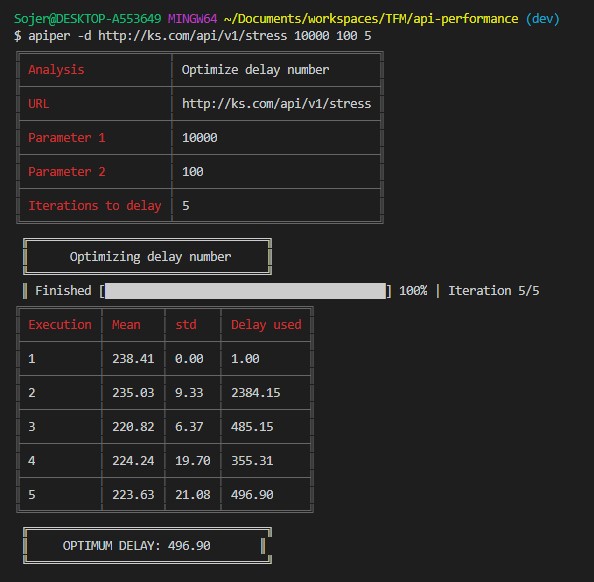
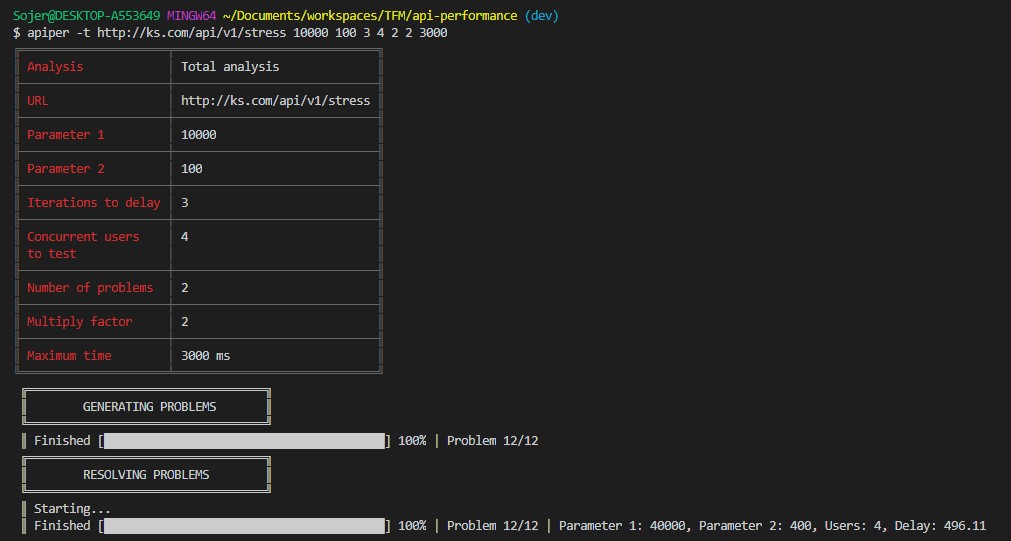
Total automated performance report
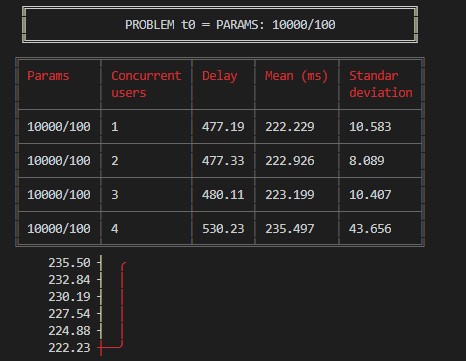
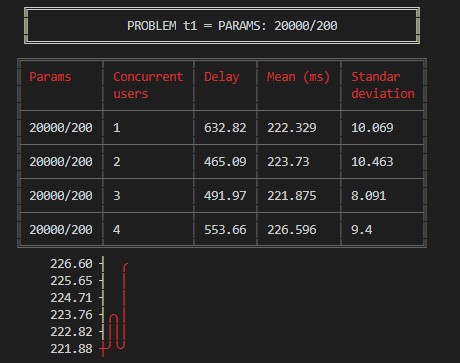
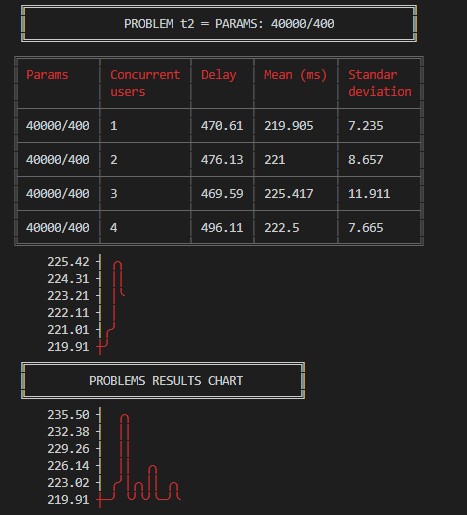
$ apiper -t http://knapsack-api.herokuapp.com/api/v1/stress/ 10000 100 3 4 2 2 300Output: